ReviewsReview
5 min readNew
What the $50 book-and-video course covers, who it is really for, the free routes worth trying first, and when to skip it.
This article contains an affiliate link: if you buy through it, AS Online earns a 10% commission at no extra cost to you.
Pro Swift is a $50 book and video course for people who already write some Swift and want to write it better. It is not a first course, and its own page says so: it is aimed at developers with at least a few months of experience. If you are just starting, use the free routes below first. If you have built a small app or two and your code works but feels clumsy, it looks like a well-regarded next step, with a 30-day refund window. This is a research-only review: we have not bought or worked through the course.
According to the Gumroad product page, checked on 23 November 2026:
The price is $50. Gumroad did not show a UK pound figure on the page when we checked, so the amount on your card will depend on the exchange rate and any VAT added at checkout. The same course is also sold as part of a larger Swift Power Pack bundle.
The page showed an average rating of 5.0 from 204 ratings. Ratings on a creator's own store come from buyers who chose to rate it, so treat that as a sign of satisfied customers rather than an independent test.
The listed topics are the parts of Swift that separate "it compiles" from "it reads well":
| Area | Examples from the contents list |
|---|---|
| Program design | Object-oriented and protocol-oriented Swift, and how they differ |
| Functional style | filter, map, flatMap and reduce |
| The type system | Generics, enums with associated values, value types versus reference types |
| Control flow | Pattern matching with for case let and switch |
| Error handling | try, try! and try?, and typed throws |
| Smaller tools | Lazy properties, variadic functions, operator overloading, @autoclosure, documentation markup |
That is a sensible list for an intermediate developer. It is about the language, not about building screens, so the page notes it is equally useful for macOS and iOS work. If what you want is to learn SwiftUI or ship an app, this is not that course.
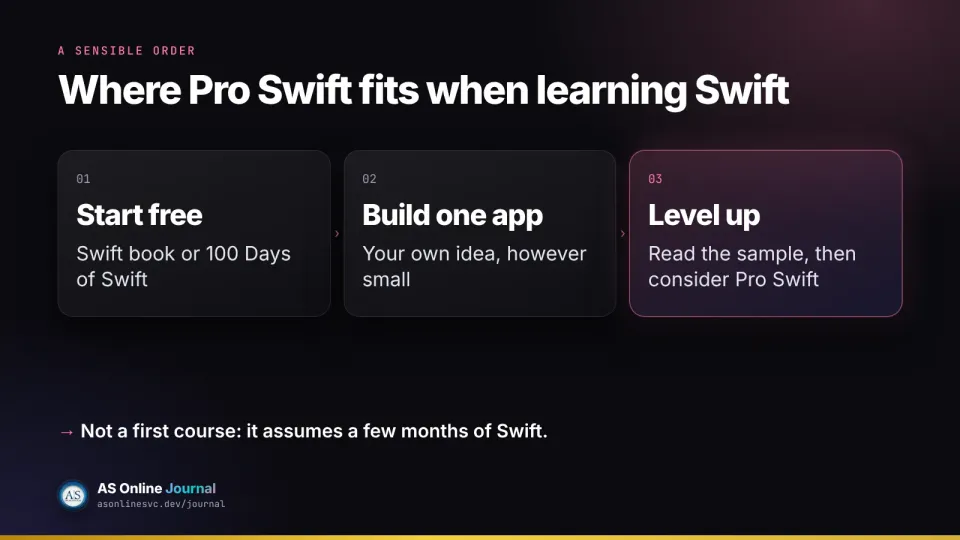
A beginner can go a long way without spending anything:
The publisher also offers a free 24-page sample and the full table of contents on the store page. Read the sample before buying. It is the best evidence you will get of whether the explanations suit you.
It looks like a good fit if you:
Skip it, for now, if you:
Spend a week on the free 100 Days material. If it clicks and you keep going, build one small app of your own. When you notice the same awkward code appearing again and again, read the Pro Swift sample. If the sample explains something you have been struggling with, the course is likely worth $50 to you, and the refund window covers you if it is not.
If you decide it is right for you, you can buy Pro Swift on Gumroad. Check the price and refund terms on the page before you pay.
No. The product page says it is for Swift developers with at least a few months of experience. Complete beginners are better served first by free material such as Apple's Swift book or the free 100 Days of Swift course on the same author's site.
The product page describes a 30-day no-questions-asked refund policy for books and video courses bought through Gumroad. Check the page on the day you buy, because terms can change.
No. This review is based on the public product page, the free 24-page sample offered there, the publisher's store page and public ratings, all checked on 23 November 2026. We have not bought or worked through the course.
swift ios-development programming-books review learning-to-code