Web & HostingExplained

3 min readNew

The median web page now weighs more than 2 MB on mobile. On a fast connection that is invisible. On a slow, metered or shared one, it is a real cost. Who pays, and how lighter design helps everyone.
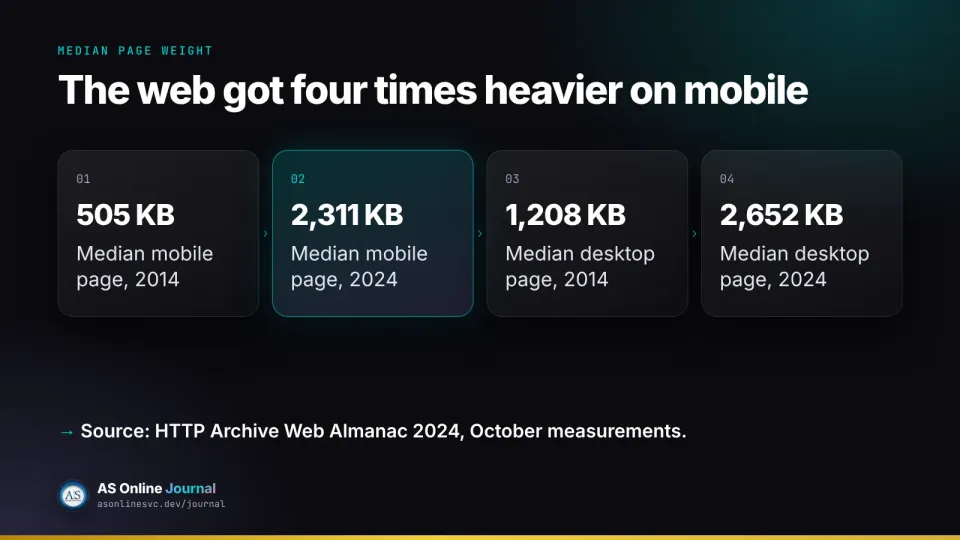
Web pages keep getting heavier. HTTP Archive's Web Almanac found the median mobile page weighed 2,311 KB in October 2024, more than four times the 505 KB of a decade earlier. On fast home broadband, nobody notices. On a slow rural line, a pay-as-you-go data plan, a busy shared connection or an old phone, every extra megabyte costs time, money and battery. The people who pay most are the people with the fewest alternatives.
| October 2014 | October 2024 | |
|---|---|---|
| Median desktop page | 1,208 KB | 2,652 KB |
| Median mobile page | 505 KB | 2,311 KB |
Source: HTTP Archive Web Almanac 2024.
The Almanac's own chapter opens with a heading that sums up the problem: "Page weight is an accessibility issue". It notes that lower-end devices, particularly mobile ones, may be far more limited in how much they can store, so heavy pages can push other useful files out of the cache and slow down the next page too.
Not every heavy page is a bad page. Rich media, interactive tools and high-quality images have real value, and many visitors are on fast connections most of the time. Some argue that falling data prices and faster networks will solve the problem on their own. The counter-argument is that page weight has grown faster than many people's connections and devices have improved, and that the people left behind are precisely those who cannot upgrade. Both can be true at once, which is why the answer is usually "lighter by default, richer where it earns its weight".
The W3C's Web Sustainability Guidelines bring many of these practices together, because lighter pages also use less energy.
Heavy pages are a quiet tax, paid mostly by the people least able to afford it. Making a site lighter is not glamorous, but it is one of the few changes that helps every visitor at once: faster for the well-connected, usable for everyone else.
HTTP Archive's Web Almanac 2024 measured the median page at 2,652 KB on desktop and 2,311 KB on mobile in October 2024, up from 1,208 KB and 505 KB in October 2014.
Not everyone does, all the time. People on slow or rural connections, pay-as-you-go data, shared networks or older phones pay for heavy pages in time, money and battery. The Web Almanac calls page weight an accessibility issue.
Building the core of a page so it works with basic HTML, then adding styling and JavaScript on top. GOV.UK recommends it so services keep working on slower networks and lower-powered devices.
web-performance accessibility inclusion web-design page-weight