AI ToolsPractical guide

5 min readNew

Most rebuilds fail before anyone writes code: unclear goals, a big-bang launch, and old links left to break. The five failure modes, a real example, and how to test your plan safely.
A website rebuild is a project with a launch date, and most of the risk sits in the plan rather than the design. The common failures are predictable: nobody wrote down what the new site is for, the work is saved up for one big launch, content and old links are forgotten, and nothing is measured before and after. Each has a cheap fix if you plan for it, and a costly one if you find it on launch day.
When the US federal health insurance marketplace, Healthcare.gov, opened on 1 October 2013, many people could not use it. The US Government Accountability Office's review in July 2014 found that the agency began development "when key technical requirements were unknown", including the number of potential users. It also found that a readiness review was moved from March to September 2013, just weeks before launch, and that the site went live "without verification that it met performance requirements".
Your rebuild is almost certainly smaller. The pattern is the same, though: unclear requirements, a fixed date, and testing squeezed out at the end.
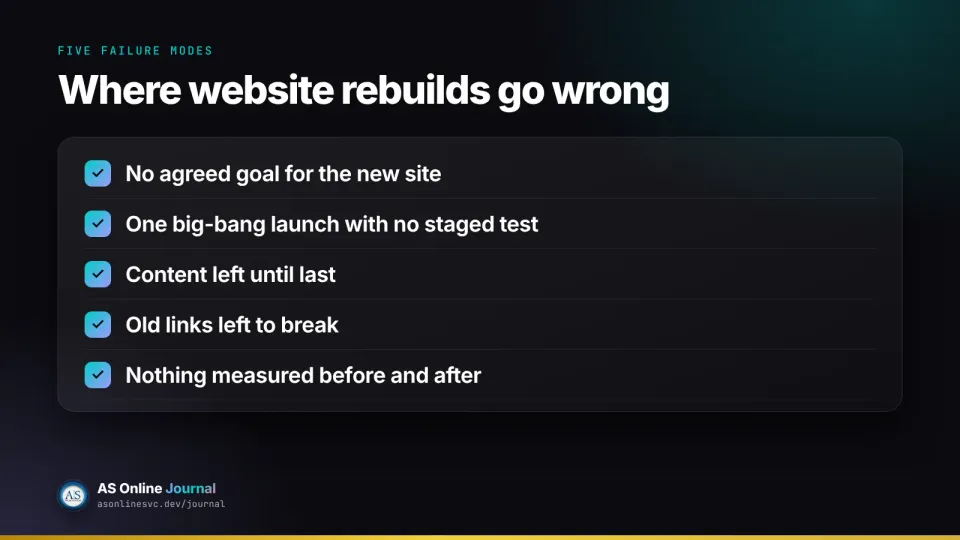
"The site looks old" is a reason, not a goal. Without a short list of what the new site must do better, such as more enquiries, faster pages, or easier updates, every opinion carries the same weight and the scope keeps growing. Write the goals on one page and agree them before any design work.
Saving everything for a single switch-over means every problem appears at once, on the day you have least time. The GOV.UK Service Manual's approach to agile delivery is built around learning in stages, from discovery to a test with real users, before a full launch. Even for a small site you can do a light version: build the most important pages first and show them to a few real customers.
Content is usually the slowest part. Pages need rewriting, images need permission and alt text, and someone has to decide what to drop. List every page of the current site at the start and give each one an owner and a decision: keep, rewrite, merge or remove.
Every old address that stops working is a lost visitor and a lost signal to search engines. Google's site-move guidance says to prepare a mapping from each current URL to its new one, redirect old addresses permanently, and keep redirects "generally at least 1 year". It also says to expect temporary ranking fluctuations while the site is recrawled.
If you don't record how the old site performs, you cannot tell whether the new one is better. Note your current traffic, enquiries or sales, page speed and top pages before you start, then compare after launch.
| Assumption | Cheap test before launch |
|---|---|
| "Customers will find the new menu easier" | Ask five customers to find three things on a prototype, and watch without helping |
| "The new site is faster" | Measure the same key pages on the old and new versions |
| "No links will break" | Crawl the old site, then check every old URL on the new site returns a redirect or a page |
| "Everyone can use it" | Run the basic checks in W3C's accessibility evaluation guide |
| "Launch day will be quiet" | Launch on a normally quiet day and time, with a rollback plan written down |
If the new site is live and traffic or enquiries have dropped:
A rebuild done well is mostly careful lists: goals, pages, URLs and measurements. None of that is exciting, which is exactly why it gets skipped. Plan it in stages, test with real people, keep your old links working, and measure before and after.
Google's site-move guidance says to keep redirects for as long as possible, generally at least one year, and suggests considering keeping them indefinitely for users.
Not if you can avoid it. Releasing in stages, or testing the new site with a small group first, lets you find problems while they are still cheap to fix. Google's guidance says it is fine to move a site in sections.
Some movement is normal. Google says to expect temporary ranking fluctuations while it recrawls the site. Lasting drops usually come from missing redirects, removed content or blocked pages.
website-rebuild web-development seo project-planning small-business