GuidesPractical guide

6 min readNew

Zero trust sounds like an enterprise project. For a small team it mostly means checking every sign-in, every device and every permission, wherever people work. What it is, where to start, and fixes for the problems you will hit.
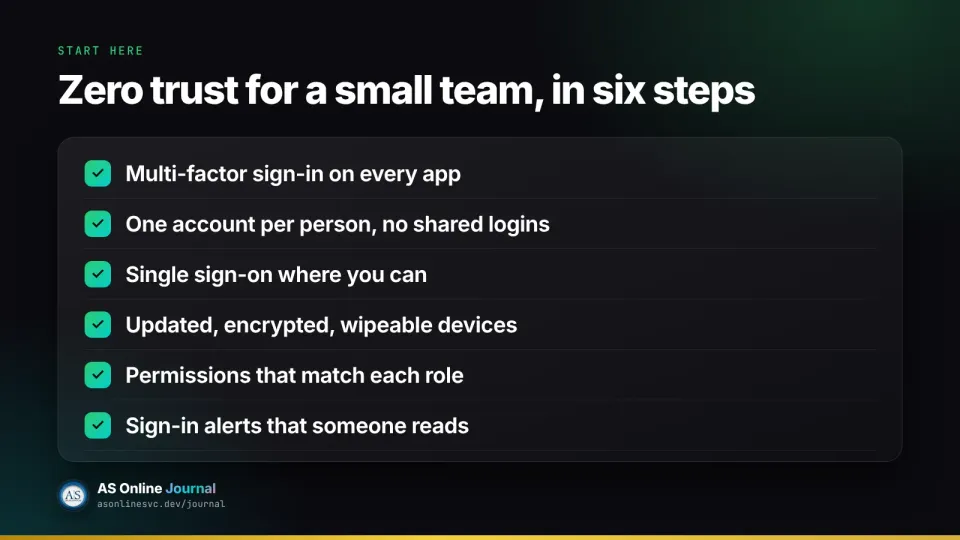
Zero trust is a simple idea with a complicated reputation. It means that nothing gets access just because it is "inside": not a laptop on the office Wi-Fi, not a device on the VPN, not an account that was set up years ago. Every sign-in, device and request is checked. For a small team, that mostly comes down to three things you can start this month: strong sign-in for everyone, devices that are up to date and managed, and permissions that match what each person actually needs.
The NCSC's zero trust guidance describes it as "an architectural approach where inherent trust in the network is removed, the network is assumed hostile, and each request is verified based on an access policy". The US standard, NIST SP 800-207, says zero trust "assumes there is no implicit trust granted to assets or user accounts based solely on their physical or network location".
It grew popular because work no longer happens in one building. People sign in from home, cafés and their own phones, and most tools live in the cloud. A firewall around an office protects less and less.
| NCSC principle | What it means for a small team |
|---|---|
| Know your architecture | List your people, devices, apps and where important data lives |
| Know your user, service and device identities | Every person has their own account; every device is known |
| Assess user behaviour and device health | Check devices are updated and protected before they connect |
| Use policies to authorise requests | Decide who can access what, and from which devices |
| Authenticate and authorise everywhere | Multi-factor sign-in for every app, not just email |
| Focus monitoring on users, devices and services | Turn on sign-in alerts and review unusual activity |
| Don't trust any network, including your own | Treat office Wi-Fi like café Wi-Fi |
| Choose services designed for zero trust | Prefer cloud tools with single sign-on and good access controls |
These steps line up with Cyber Essentials, the government-backed minimum standard built around five technical controls, and the NCSC's Small Business Guide.
| Symptom | Likely cause | Fix |
|---|---|---|
| "I'm locked out after a new phone" | Multi-factor tied to the old device with no backup | Register two methods per person, and keep recovery codes somewhere safe |
| Staff keep approving sign-in prompts they didn't start | Push notifications without number matching, or prompt fatigue | Turn on number matching or switch to a security key, and teach people to report unexpected prompts |
| A contractor still has access months later | No leaver process | Use an offboarding checklist and review accounts monthly |
| Everyone is an administrator | Set up quickly and never revisited | Keep admin rights for one or two named people, using separate admin accounts |
| A personal laptop can't access files any more | A new device policy is working as intended | Offer a managed device or browser-only access for that person |
| A shared login is used by three people | Licence saving or habit | Move to individual accounts; the audit trail is worth the cost |
| Nobody noticed a strange sign-in | Alerts not turned on, or going to an unread inbox | Send alerts to a named person and check them weekly |
For a small team, zero trust is mostly good habits made consistent: strong sign-in, known devices, tidy permissions and someone watching the alerts. Start with multi-factor sign-in and a leaver checklist this week, and you will already be ahead of many larger organisations.
The NCSC describes it as an approach where inherent trust in the network is removed, the network is assumed hostile, and each request is verified based on an access policy. In practice: being on the office Wi-Fi or VPN does not, by itself, grant access.
Not to start. Most of the first steps, such as multi-factor sign-in, up-to-date devices and tidy permissions, use features already in common business software. Products can help later, but no single product makes you zero trust.
Cyber Essentials is the UK government-backed minimum standard, built around five technical controls. Those controls, especially user access control and security updates, are good foundations for a zero trust approach.