News & ExplainersExplained
5 min readNew
The official advice on password managers is clear. The family questions, such as who can see what and what happens when someone leaves, are where households get stuck.
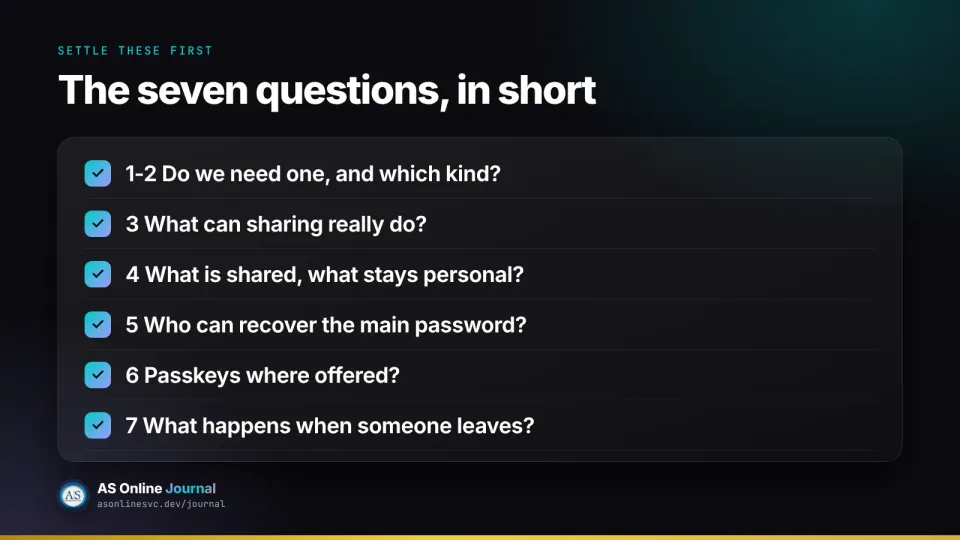
The official advice on password managers is not complicated: the UK's National Cyber Security Centre (NCSC) says to use one, to turn on two-step verification, and to make passkeys your first choice where they exist. Sharing one across a household is where it gets less clear, because the sharing features differ between providers and the hard decisions are about people, not software. Here are seven questions worth settling before you set anything up. They are questions, not a recommendation of any product, and we have not tested any of the features described.
The NCSC's reasoning is that if you reuse a password and one account is compromised, an attacker can try the same password elsewhere. A password manager lets every account have its own. The NCSC says the first and most important step is two-step verification (2SV), and a manager also autofills only on the correct website, which helps against phishing.
The NCSC says the manager in your browser or phone is safe to use on your own devices, and is the easiest route if everyone uses the same system. A separate third-party manager can sync across a mix of browsers and devices. Its advice is to choose the one that fits your needs and that you will actually use. Households with a mixed set of phones and laptops should weigh that sync point first.
Features differ, and the details matter:
Neither is a general "send a login to anyone" tool, so a mixed family with Apple and Android phones may need a third-party manager for anything shared.
Share what the household genuinely uses together: the broadband account, a streaming login, the school app. Keep personal accounts personal, especially email, because email is how other accounts get reset. The NCSC also says that on a shared device you should think about who else could access it and whether you are comfortable with that. If you are not sure, the safest option is to not let the browser save passwords.
The NCSC says the primary password is the key to the manager and it is really important to remember it, though many managers offer recovery such as secure hints or emergency access through trusted contacts. It also says to turn on 2SV for the manager account itself. In a family, decide in advance who holds the recovery information, and where, so that losing a phone does not lock a household out of everything.
The NCSC recommends passkeys as the first choice wherever a service offers them, with a strong, unique password plus 2SV for the rest. A passkey is protected by your device's unlock method, such as a fingerprint, face check or passcode. Apple's shared groups can hold passkeys as well as passwords. Our explainer on what happens when a passkey fails covers where the two halves of a passkey live and why recovery matters.
This is the question families skip. In Apple's groups, the person who created the group can remove members, and members can choose to leave at any time. With Google sharing, Google's help page says the password is saved as a copy in the recipient's Google Account, and advises changing the password if you do not want to share that service any more. In plain terms: removing a person from a group stops future syncing, but they may still remember or hold a copy, so for anything that matters, change the password at the website.
This explainer is general information, not security advice for your specific situation.
Sharing is safer than texting a password or writing it on a shared note, but it widens who can see the account. Share only what the household genuinely needs together, such as a streaming service or the broadband login, and keep email, banking and the password manager itself personal.
Possibly. Google says a shared password is saved as a copy in the other person's account, and advises changing the password if you no longer want to share the service. In Apple's shared groups, the group creator can remove a member. In both cases, changing the password at the website is the only way to be sure.
The NCSC recommends making passkeys your first choice wherever a service offers them, and using a strong, unique password with two-step verification where it does not. A password manager can hold both.
password-managers family-tech account-security passkeys explainer